I lately dedicated some time to setting up my own substitute server for Guix on a foreign distribution. This post is about that experience, after verifying that such a process is currently quite underdocumented. A substitute server is clearly a required step in order to cultivate a personal or unofficial/alternative channel for Guix, at least if one has more than one box (and possibly one physical location) to manage.
For people not up to date with the news from these digital bits, in the last year or so, I elected the Guix package manager and system as my second-preferred OS, after Debian GNU/Linux. I published more posts about it, all readable under my dedicated feed.
What is a Substitute Server?
Guix is mainly a source-level roll-on distribution, so at every pull, there is a concrete risk of having to build your own binaries if no binary provider is available to speed up your update process. That is a certainty if you play with your own packages. This is the concrete reason to possibly have a substitute server in the LAN, even though the official ones can be subject to problems and DDoS. Specifically, I set up a substitute server based on Debian GNU/Linux reachable both at home and at work. While the Guix manual is currently quite verbose about how to use a substitute server from a client, it is bit incomplete about the server side.
Installation of Guix on Debian
The very first step is to install the Guix package manager on Debian, which is currently not more possible using a Debian package from the main archive, as in the past (see this LWN post about). Currently, a binary provided by the Guix project has to be used for that. It is quite straightforward if you use the installer script provided with some caution.
For instance, to install the current Guix version, it is possible to run:
$ wget -O /tmp/guix-binary.tar.xz \
    https://ci.guix.gnu.org/search/latest/archive?query=spec:tarball+status:success+system:x86_64-linux+guix-binary.tar.xz
$ wget -O /tmp/guix-install.sh https://guix.gnu.org/install.sh

# do your homework to check and verify binary and script, then...
$ sudo -i

# export GUIX_BINARY_FILE_NAME=/tmp/guix-binary.tar.xz
# chmod a+x /tmp/guix-install.sh
# apt install uidmap gnupg
# /tmp/guix-install.sh
# rm -f /tmp/guix-install.sh /tmp/guix-binary.tar.xz
That will install a daemon for building sources under an unprivileged
guix-daemon user, which has full control over the guix data store at
/gnu/store.
Daemon configuration and storage
Such a daemon is run under systemd control with a specific unit file. First, the
Guix data store needs plenty of disk space and inodes; I suggest moving the
/gnu/store tree under an XFS or even a BTRFS filesystem, for that.
Second, the current installer tries to mount /gnu/store in read-only mode,
which can prevent running the guix command as an unprivileged user on foreign
distros. This can be disabled if problems occur, as could happen under specific conditions.
Once the guix-daemon service
is stopped, the gnu-store.mount can be disabled by ensuring the /gnu/store
directory is correctly assigned to the guix-daemon user:
$ ls -ld /gnu/store/
drwxrwxr-t 584 guix-daemon guix-daemon 12M 18 dic 07.31 /gnu/store/
The systemd unit file for the Guix daemon
This is the proposed unit file for the guix-daemon process:
[Unit]
Description=Build daemon for GNU Guix
# Start before 'gnu-store.mount' to get a writable view of the store.
Before=gnu-store.mount

[Service]
ExecStart=/var/guix/profiles/per-user/root/current-guix/bin/guix-daemon \
  --discover=yes \
  --substitute-urls='https://bordeaux.guix.gnu.org https://ci.guix.gnu.org'
Environment='GUIX_STATE_DIRECTORY=/var/guix' 'GUIX_LOCPATH=/var/guix/profiles/per-user/root/guix-profile/lib/locale' LC_ALL=en_US.utf8
# Run under a dedicated unprivileged user account.
User=guix-daemon
# Bind-mount the store read-write in a private namespace.
PrivateMounts=true
BindPaths=/gnu/store
MountFlags=private
Type=exec
AmbientCapabilities=CAP_CHOWN
StandardOutput=journal
StandardError=journal
OOMPolicy=continue
Restart=always
TasksMax=8192

[Install]
WantedBy=multi-user.target
Note that, when building from sources in specific cases, it could be a good idea to provide an additional TMPDIR environment variable to bypass the limited size of the /tmp directory (specifically for tmpfs implementation as for Debian 13+). For instance, building a full Linux kernel could require more than 32 GB of storage available in /tmp, which corresponds by default to at least 64 GB of RAM on the system. A typical personal box can be quite limited for that. So adding TMPDIR=/var/tmp to
the Environment variable could be a sane idea.
Setting up Guix Publish
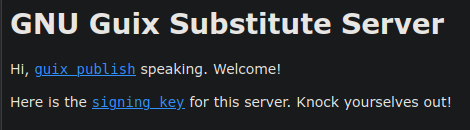
To set up the substitute server, a guix publish process must be started via
systemd. First, create a publishing asymmetric key pair and a destination for
the cache directory:
$ sudo -i guix archive --generate-key
$ sudo mkdir -p /var/cache/guix/publish
$ sudo chown guix-daemon:guix-daemon /var/cache/guix/publish
This is the systemd unit file for the guix-publish.service:
[Unit]
Description=Guix substitutes server
After=network.target

[Service]
Type=simple
User=root
Environment='GUIX_LOCPATH=/root/.guix-profile/lib/locale'
ExecStart=/var/guix/profiles/per-user/root/current-guix/bin/guix publish \
  --listen=0.0.0.0 \
  --port=8080 \
  --user=guix-daemon \
  --compression=gzip:9 \
  --compression=lzip:9 \
  --cache=/var/cache/guix/publish \
  --ttl=30d --negative-ttl=1h \
  --workers=4
Restart=always
RestartSec=10

[Install]
WantedBy=multi-user.target
This will start the service in unprivileged mode on an unprivileged port, which can be easily routed via an NGINX proxy, for instance (my preferred way). I use this system to route the service on both the home and the at-work LANs.
Once done, of course, the next point is defining a policy to populate such a server. While it could be nice running a proper cuirass build service to run continuously building from a custom repository, it is also perfectly fine simply using a manifest file with common packages or the multiple configurations used by personal boxes. Here is a series of alternatives to build a handful of packages.
guix build gcc
guix system build my-laptop-config.scm
guix build -m manifest.scm
guix build make cmake vim emacs perl
A simple manifest example:
(specifications->manifest
 '("gcc-toolchain"
   "python"
   "emacs"
   "git"
   "make"
   "cmake"
   "perl"
   "grass"
   "gdal"
   "geos"
   "gawk"
   "vim"
   ;; Add more packages...
))
Of course, a very simple strategy could consist of running regular pulls & builds for all packages of primary interest and making frequent enough purges of the data store to avoid excessive storage consumption. That can be avoided if plenty of space is available for builds.
Once setup the server and populating it, it is possibile to add its URL to the configurations of all personal/LAN boxes for foreign and native installations, and live peacefully.
Happy guixing, folks!
For comments, join the discussion on Mastodon.